Experiments
An experiment tests one thing against another with real traffic and tells you which one makes more money.
Most tests are page tests. You take a single page inside a funnel — the paywall, the welcome screen, a quiz step, an upsell — and run it against one to three alternatives while every other page in the flow stays exactly as it is. You can also test a whole funnel against another, set up from the campaign that routes them. Both kinds run side by side, land in the same dashboard, and read the same way.
Either kind gets up to four arms: your control plus up to three challengers, at whatever traffic weights you choose. It isn’t A against B unless you want it to be.
Every arm reports its own visitors, conversions, conversion rate, ARPU and revenue per paying customer, plus guardrails on trial-start and refund rate — that’s how you understand why an arm won. One of those numbers is what actually calls the result: ARPU, revenue per visitor. See what you read per arm.
Two surfaces do the work, and they don’t overlap:
- The editor is where you author the alternative. A variant is a real page you write.
- The Experiments dashboard is where you run and read the test — every experiment in the project, its plain-English verdict, the lift, and the one button that makes the winner live.
A variant is a whole page
When you test a page, you author a genuine sibling page. pages/paywall@b.tsx is a variant of the paywall slot — the @ in the filename is what marks it. It is a real, editable, previewable page, exactly like paywall.tsx. You open it in the editor, change the headline, swap the layout, rewrite the offer — whatever you want the alternative to be.
There is no per-field magic. A variant isn’t a set of overrides layered on top of the original, and there’s no experimentValue() helper to sprinkle through your code. The unit of a test is a whole page. That keeps the mental model dead simple: arm a is the current page, arm b is the page you wrote next to it, and a visitor sees one or the other in full.
Because a variant is just a page, authoring it is a natural hand-off to the AI assistant or a connected agent. Start the test to create the sibling, then ask — “rewrite the paywall variant to lead with the annual discount” — and the agent edits pages/paywall@b.tsx like any other page. You frame the test; the agent writes the alternative.
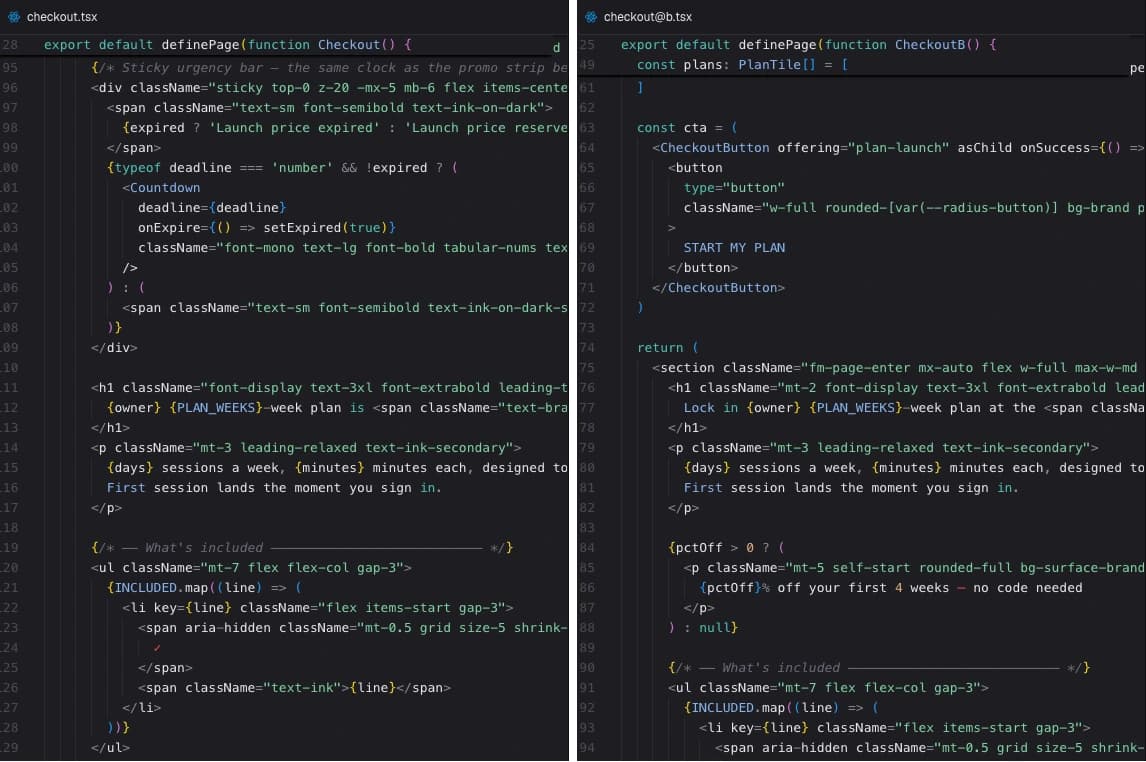
The experiment owns its variant page
This is the rule that makes experiments safe to run without babysitting: while a test is live, the experiment owns its variant page.
- You can’t delete
pages/paywall@b.tsxwhile the test is running or paused. - You can’t publish a release that drops it.
The only way the variant page goes away is by ending the test — promote the winner or discard it. Ending the test is the single removal path.
That one guarantee is why there are no broken experiments to reconcile. Old versions of this warned you about missing variant pages, “orphaned” variants, and releases that would strip a running test’s page out from under it. None of that exists anymore. The platform holds the variant page in place for the whole life of the test, in your draft and in every release that goes live, so a split can never point at a page that isn’t there.
The trade-off is deliberate: a running test is a commitment. If you want that variant page gone — to delete it, or to ship a release without it — conclude the experiment first. Promote a winner or discard the test, and the page is yours to change again.
Starting a test
Start the test on a page
In the Flow view, click a page node. The inspector opens on the right, and any page that isn’t already under test offers Start a test. Click it: Appfunnel copies the current slot page into a variant — pages/<slot>@b.tsx — and creates a DRAFT experiment with two arms at 50/50: arm a (the control, which is the original slot page) and arm b (the new sibling).
Author the variant
You land in the variant’s code. Make it different — that’s the whole point. Preview it, iterate, hand it to an agent.
You are not limited to one alternative. Arms are labeled a–d — the control plus up to three challengers, four arms in total — and you can add them any time the experiment is still a DRAFT. Each one is a page of its own (pages/<slot>@c.tsx, @d), and the weights rebalance evenly as you go. Test three headlines against the current one in a single test instead of running three tests in sequence.
Send it live
Start the test from the Experiments dashboard. The split goes live on your current release at the weights you set, and from that moment new visitors are routed between the arms. The platform keeps every arm’s page in the live release for as long as the test runs.
Once a test is running, weights are locked. To change the split, reweight — that starts a new version: version N’s numbers are archived, counters restart from zero, and the new split applies only to visitors who arrive after it. Reweighting is the honest way to change a running test; the old data doesn’t get silently blended with the new split.
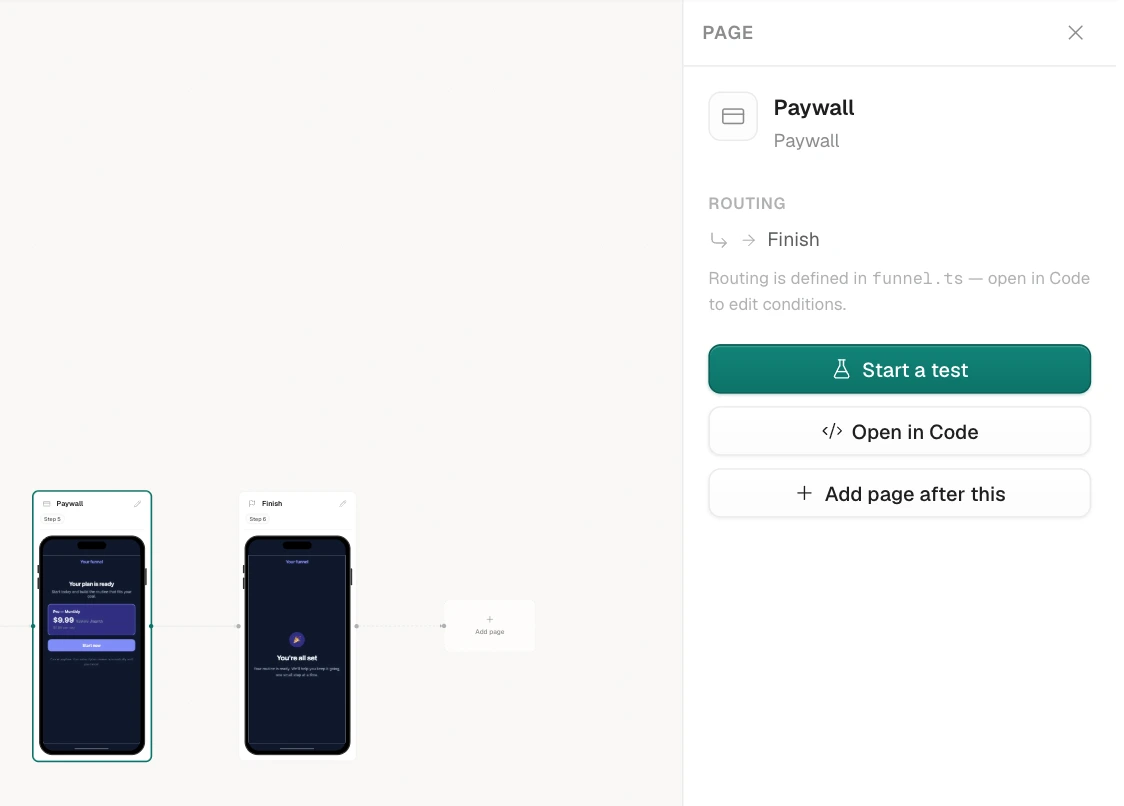
The Experiments dashboard
Every test in the project lives in one place: the Experiments area. It’s split into Active and Concluded. Each row names the test, shows its arms, and — the part you actually read — a plain-English Verdict. When a test is ready to call, a nudge surfaces on your Overview so you don’t have to go looking for it.
Page tests and whole-funnel tests sit in the same list and read the same way — there’s no separate place to look. (You set a funnel-vs-funnel test up from the campaign that routes the funnels, and a page test from the page node in Flow view; the dashboard reports every experiment in one list regardless of where it was created.)
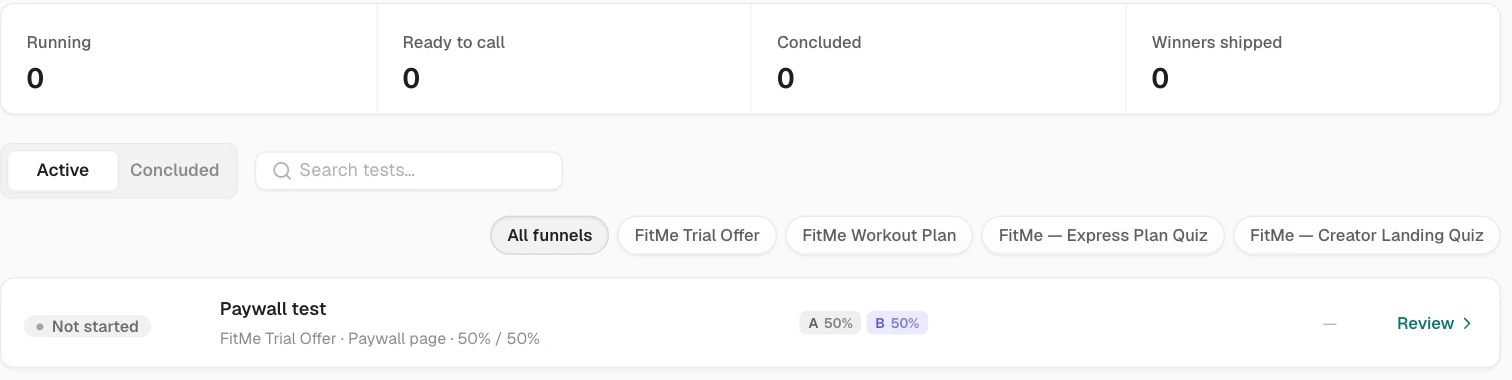
Reading the verdict
The verdict is a sentence, not a spreadsheet. It walks up a ladder as data comes in:
| Verdict | What it means |
|---|---|
| Warming up | Just started — barely any data. Don’t read anything into the numbers yet. |
| Collecting | Traffic is flowing and payers are landing, but no arm has separated from the pack. |
| Leaning B | Arm b is ahead, but not confidently enough to call. Keep it running. |
| Ready to call | The winner is called — the line underneath reads “B wins — +12.4% ARPU, 97% to beat control. Safe to promote.” and the action is Promote B. |
| No difference | The arms are effectively tied. The change didn’t move revenue — keep the simpler one. |
| Guardrail tripped | An arm is winning on ARPU but hurting something you can’t trade away (see below). It won’t be crowned. |
| Inconclusive | The test ran its full window without a clear read. Time to call it and move on. |
| Promoted B | The test is concluded and arm b is live. |
Alongside the verdict you get the ARPU lift (how much more revenue per visitor the leader earns), the probability it really wins, and — when the answer is still “not yet” — the gates that explain why we can’t call it.
What you read per arm
The verdict is one line. Under it is the comparison table, and that’s where you find out what actually happened. Every arm in the test gets its own row, control included:
| Column | What it tells you |
|---|---|
| Visitors | How many people were shown this arm. |
| Conversions | How many of them bought. |
| Conversion rate | The share who bought, with a confidence range around it. |
| ARPU | Revenue per visitor shown this arm, with a confidence range. |
| ARPPU | Revenue per paying customer — this is where a stronger upsell or a pricier plan shows up. |
| Lift | How far this arm is ahead of, or behind, the control. |
Two more numbers sit beside the table as guardrails, comparing the leader against the control: trial-start rate and refund rate. They’re the things you can’t trade away for revenue, and an arm that damages either is blocked from being crowned no matter how well it earns.
[IMAGE OF the experiment comparison table on an experiment detail page: one row per arm (a control plus two challengers) with columns for visitors, conversions, conversion rate, ARPU, ARPPU and lift, each rate showing its confidence bar, and the winning row highlighted]
When a test’s arms are whole funnels, each arm is a funnel in its own right — so on top of the comparison table you can point the analytics dashboards (MRR, ARR, trial conversions, refunds, subscriptions, ad spend) at a single arm and read it exactly like any other funnel. Pick the arm under Variants in the scope selector at the top of an analytics page. Page tests aren’t split out in those dashboards; for a page test the comparison table is the per-arm read.
Why we can’t call it yet
A verdict isn’t withheld to be coy; each gate is a specific thing that has to be true before a number is trustworthy:
- Enough runtime. At least a week, and it has to span a weekend — buyers behave differently on Saturday than on Tuesday.
- Enough visitors in each arm.
- Enough payers in each arm — this is the one that matters for a revenue call. ARPU is only as precise as the number of people who actually paid, so a funnel with light traffic will read “not enough data yet — need about N more payers” instead of inventing a winner.
That last line is the honesty that makes the tool worth trusting. A low-traffic funnel gets told the truth — how many more payers it needs — rather than a confident-looking verdict built on ten sales.
[IMAGE OF an experiment detail with a green “Ready to call” verdict reading “B wins — +x% ARPU, n% to beat control. Safe to promote.”, and the gates checklist below it]
How the winner is decided
You read every metric in the table; exactly one of them decides. The winner is chosen on ARPU — revenue per visitor — not on a conversion-rate bump that might come with cheaper customers. A page that converts more people but at a lower price can easily lose here, and that’s correct: you’re optimizing money, not signups. Conversion rate and ARPPU sit beside it to explain the result, not to settle it.
The lift comes with a probability you can act on, and a couple of guards keep it honest:
- One big spender can’t decide it. The verdict is re-checked with the single largest payer removed; if the result depends on one whale, it’s downgraded, not called.
- Guardrails. An arm that wins on revenue but tanks your trial-start rate or spikes refunds is blocked from being crowned — a short-term revenue bump that comes back as chargebacks isn’t a win.
Promote — make the winner live
Concluding a test is a decision, and there are two ways to make it:
- Promote takes the winning page and makes it the page everyone sees. Its content replaces the slot page, the other variant pages are removed, and the funnel publishes — the winner is live in one step.
- Discard ends the test and keeps the control. Use it when the verdict is No difference, or when you’ve simply learned what you needed and want your variant page back.
Either way, ending the test is what releases the variant page the experiment was holding.
[IMAGE OF the Promote dialog showing the winning arm, the ARPU lift, and the publish confirmation]
History is permanent
A concluded test doesn’t disappear. Its results are frozen — the exact numbers at the moment you called it — and its winning page is kept forever, with lineage: you can trace which page came out of which test, and which test spun off from which. When you promote a winner, the lift you banked is recorded against it, so months later you can still see why the current paywall looks the way it does and what it beat to get there.
Nothing about a finished experiment is recomputed or overwritten. The verdict you promoted on is the verdict you keep.
How visitors get assigned
Each visitor is assigned one variant and keeps it across visits — a returning visitor always sees the arm they saw before, so the split stays stable rather than re-rolling every visit.
Their variant is fixed the moment the funnel loads, so entering an email partway through can’t flip them to a different arm. A single person’s journey is never split across two variants.
When a funnel serves several campaigns
If more than one active campaign routes the same funnel, a page test’s numbers are pooled across all of them — exposures and revenue are counted wherever the funnel runs. That’s the honest total, but it isn’t a clean per-campaign read. If you need to isolate one campaign’s behavior, run the funnel in only that campaign for the length of the test.